

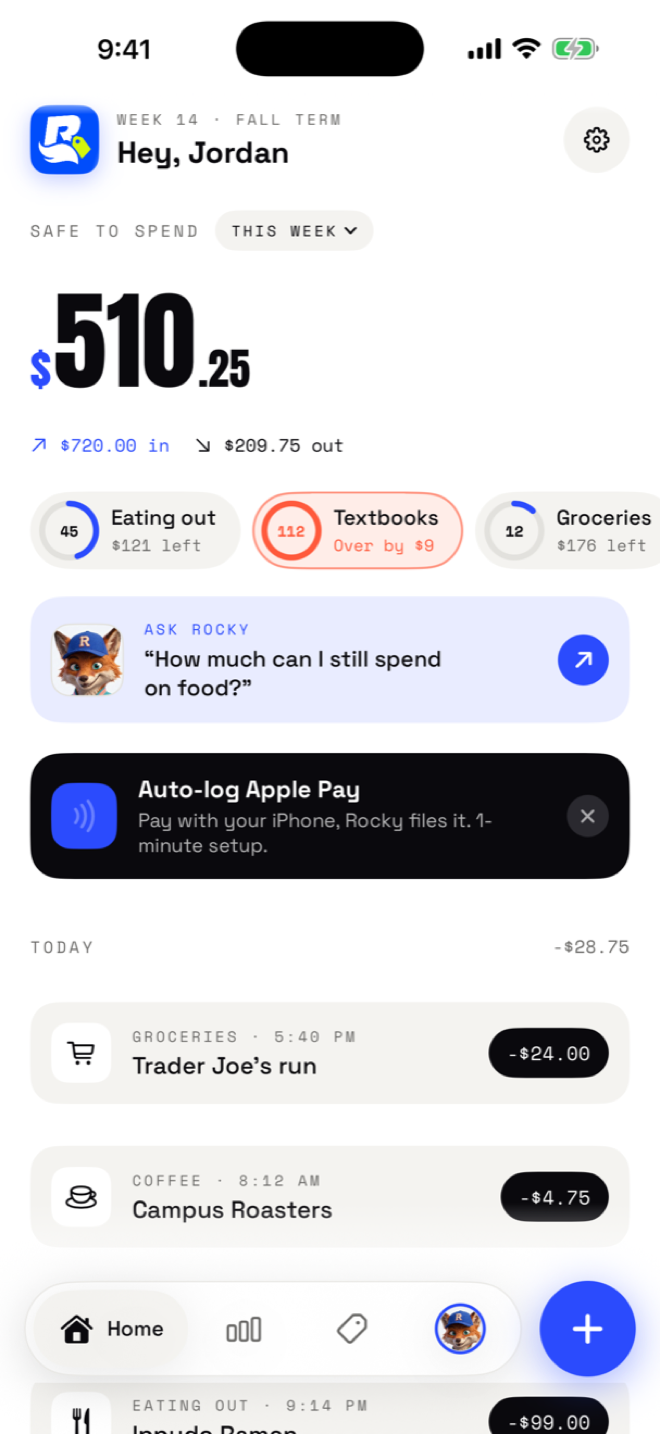
Safe to spend
Your income minus what you've spent, as one big number for the week or month. No spreadsheets, no guessing.
Budgeting app for college students
Know exactly what's safe to spend this week, log a coffee in two taps and let Rocky, your fox sidekick, keep your budget on track.
Free on iPhone · iOS 18 or later
What it does
Built for real student life: irregular income, shared rent, late-night tacos and that one subscription you forgot about.
Your income minus what you've spent, as one big number for the week or month. No spreadsheets, no guessing.
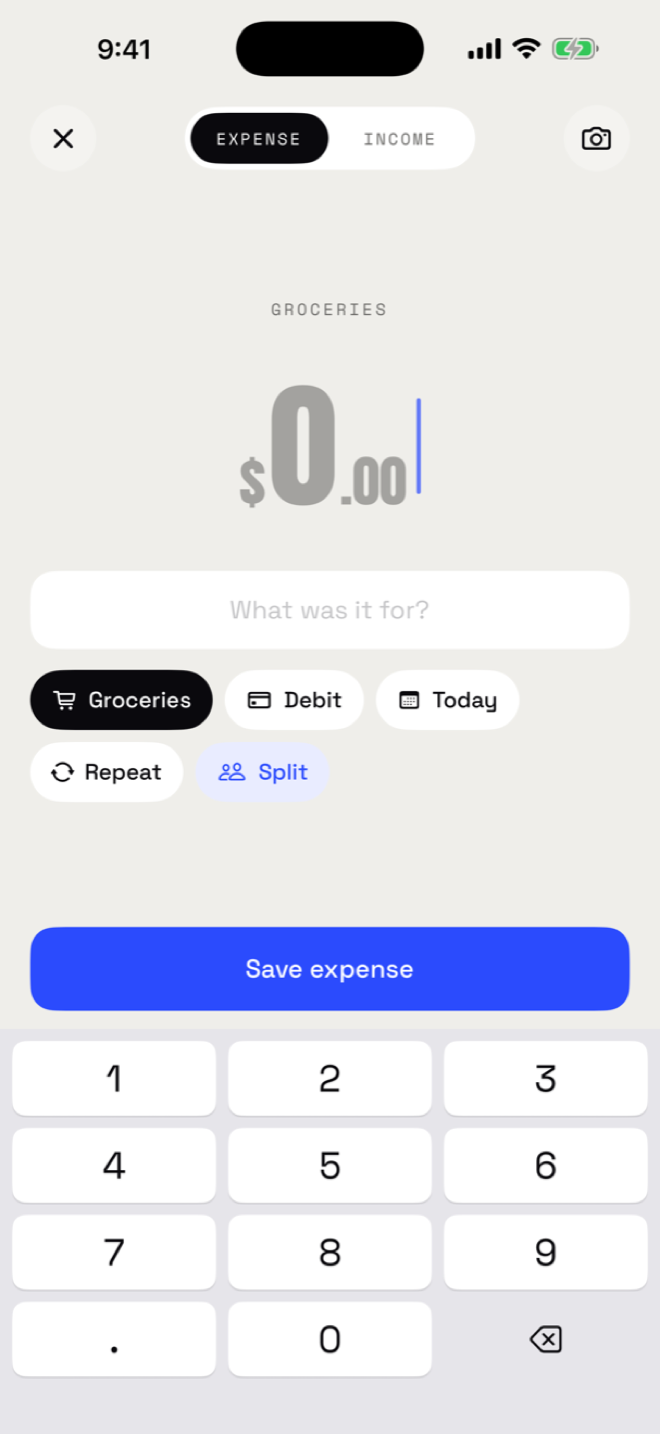
A custom keypad, a note and done. Rocky guesses the category as you type and learns from your choices.
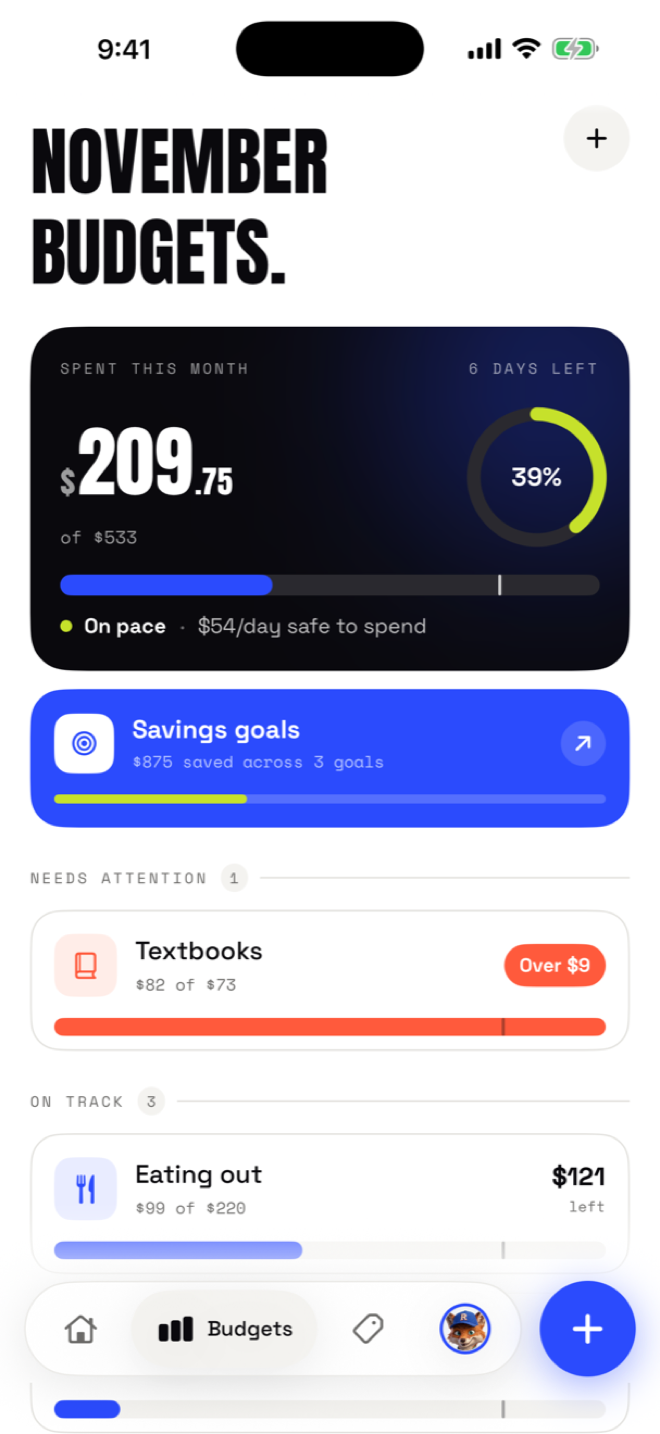
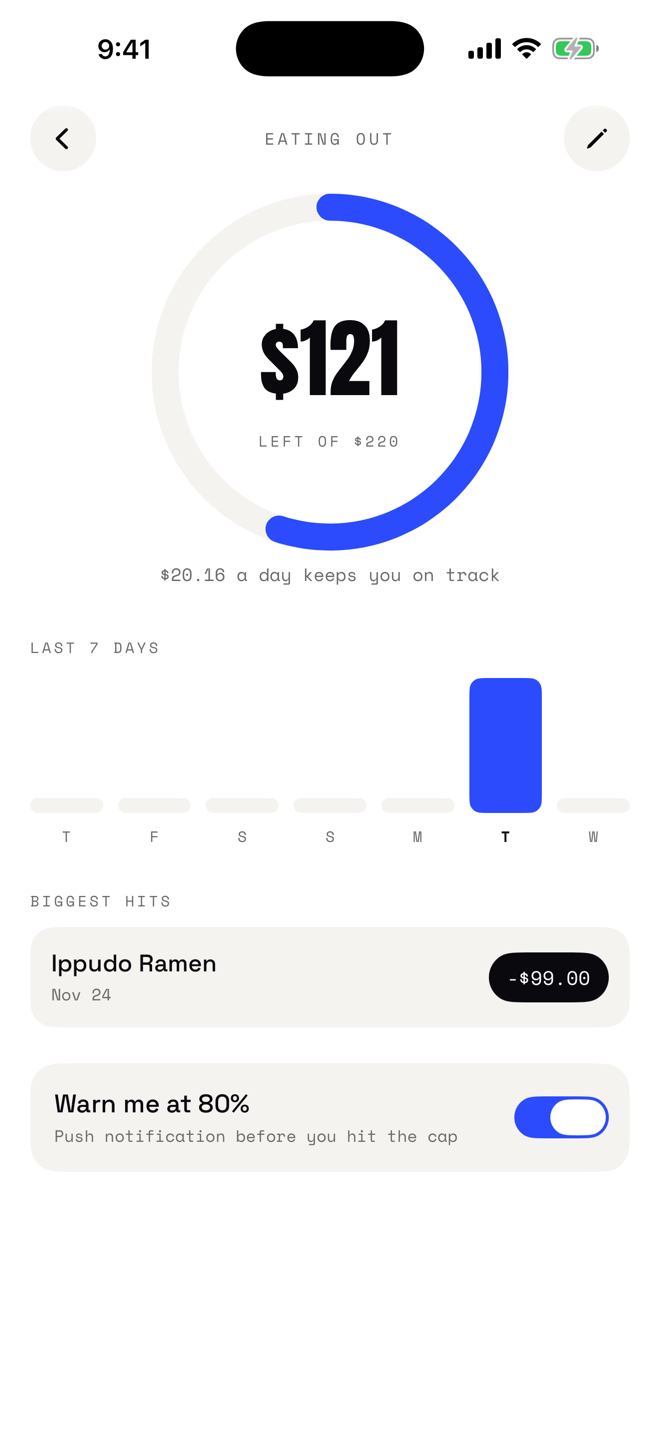
Set a limit per category. Get a heads-up at 80% and another at 100% — before the month gets away from you.
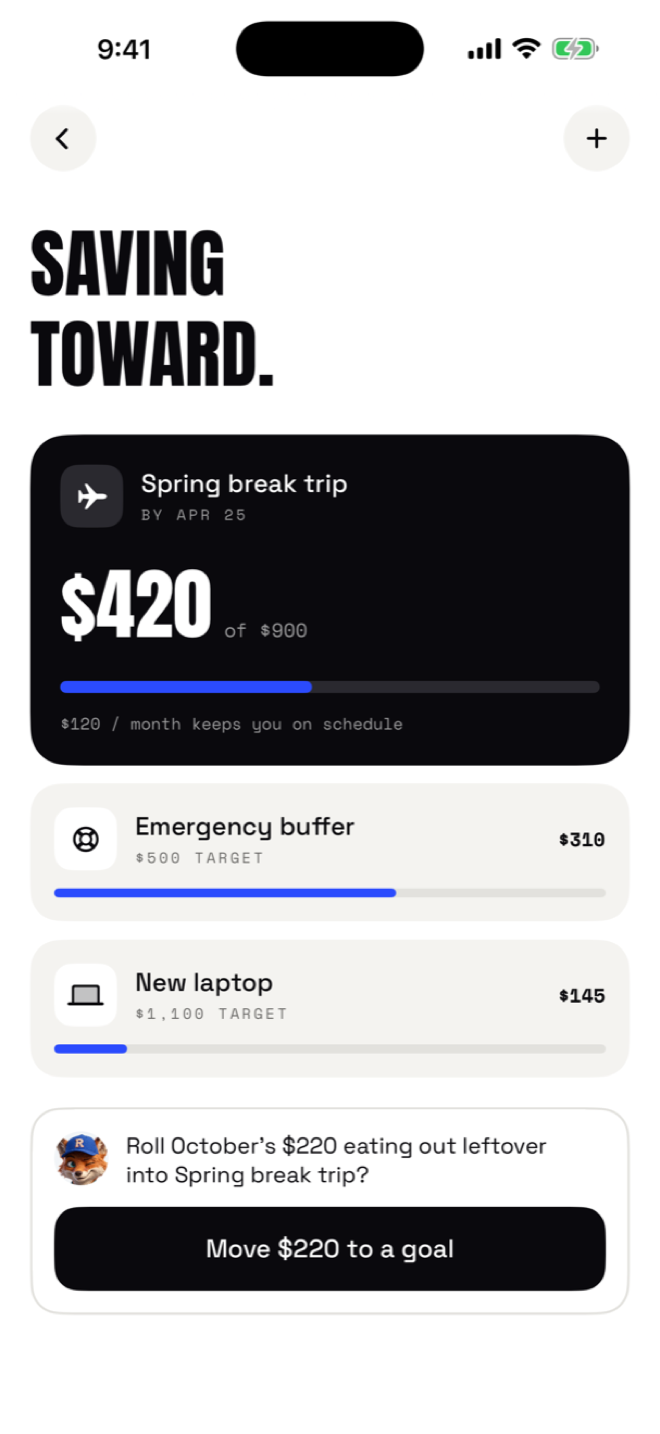
Laptop, spring break, emergency fund. Set a target and a date; Rocky tells you what to put away each week.
A home for student discounts near campus. Show your ID, save, and log the spend in one tap.
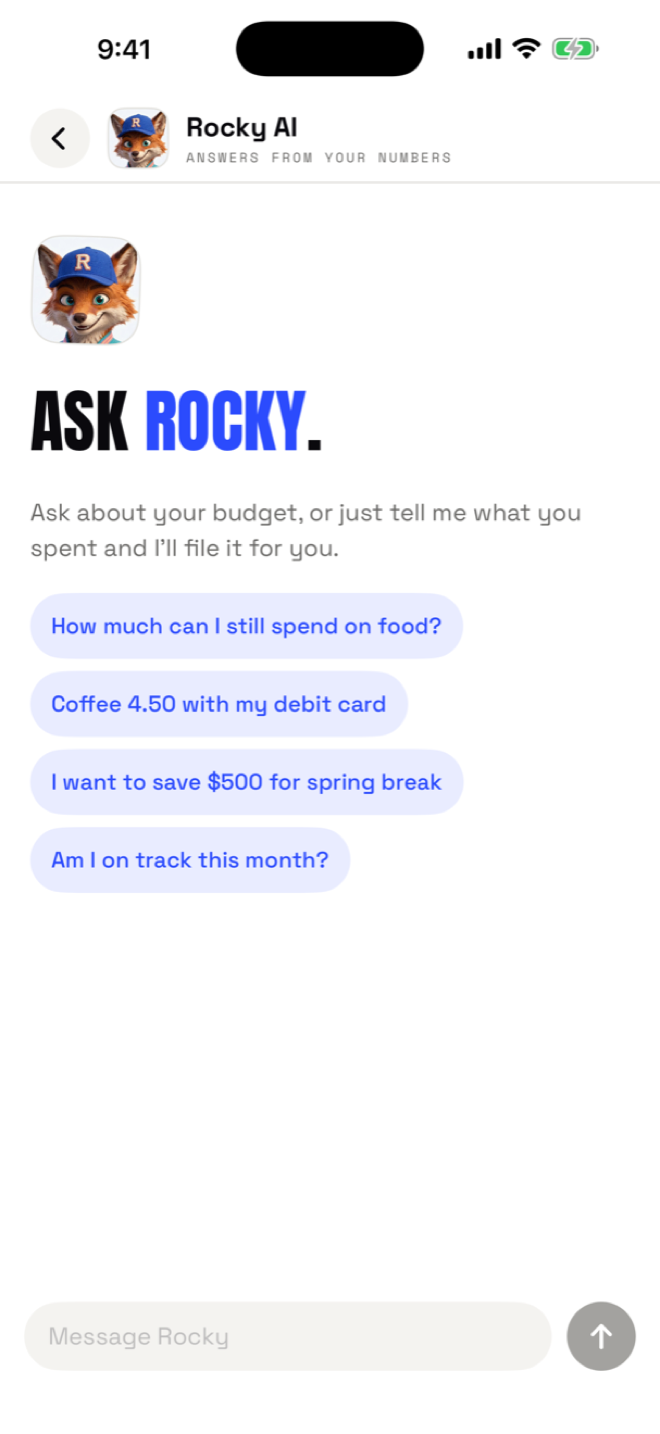
“How much do I have left for food?” “Coffee 4.50.” Chat with Rocky, our AI fox. Nothing is saved until you confirm.
Auto-log Apple Pay purchases with a Shortcuts automation, say “Log an expense in Rocky Perks,” or open the keypad from Control Center.
Your money stays private. Rocky Perks can lock itself every time you leave the app.
Take a look
 Safe to spend
 Log in seconds
 Budgets
 Savings goals
 Where it goes
 Ask Rocky
Rocky Perks Pro is on the way, and students who sign up with a .edu email will get their first semester of Pro free. Everything you see on this page is free today.
Privacy first
Rocky Perks works on your phone first and only syncs to your private account when you sign in. We never sell your data, never show ads and never connect to your bank. Read the full privacy policy.
FAQ
Yes. Everything in the app today is free. A Pro plan is coming later; if you signed up with a .edu email you'll get a free semester of it.
No. Rocky Perks never asks for bank logins or card numbers. You log purchases yourself (it takes seconds), or let your own Apple Pay automation send the store name and amount.
The app walks you through creating a personal automation in Apple's Shortcuts app. When you pay with Apple Pay, the automation sends the merchant and amount to Rocky Perks, which files it in the right category. Rocky Perks never sees your card details.
Rocky is our fox mascot and an AI chat assistant powered by Anthropic. Rocky can answer questions about your budget and suggest expenses or goals — but nothing is saved until you tap confirm. Rocky is not a financial advisor.
Sign in with Apple or your email and your budget syncs to your private account, so it comes back when you sign in on a new iPhone.
Rocky Perks is in English and Spanish and works for students anywhere. Amounts are shown in US dollars for now; more currencies are coming.
Download Rocky Perks for iPhone and start your first week with a clear number.